Tag Monitor (tagmonitor)
tagmonitor is a new build of Tag Monitor. It has the same
window, menus, commands and Configuration tab, and it configures, starts,
stops and downloads tags exactly as Tag Monitor does: a configuration it
starts a tag with is byte for byte the one Tag Monitor would send, and a
download is the same SQLite file. Everything on the
Tag Monitor page applies; this page lists only what differs.
Help ▸ Tag Monitor User Guide opens this page.
The two programs are installed side by side, as qtmonitor and
tagmonitor. Use one at a time: both talk to the tag through the base, and
a base answers only one program.
Before You Start
- On Linux,
tagmonitorneeds WebKitGTK 4.1, which GNOME desktops already have. Elsewhere install it once, for examplesudo apt install libwebkit2gtk-4.1-0on Ubuntu or Debian. Windows 10 and 11 and macOS need nothing extra. - Like Tag Monitor, it attaches to a tag as soon as it opens. Attaching restarts the tag, which ends a deployment that is running.
What Is Different
-
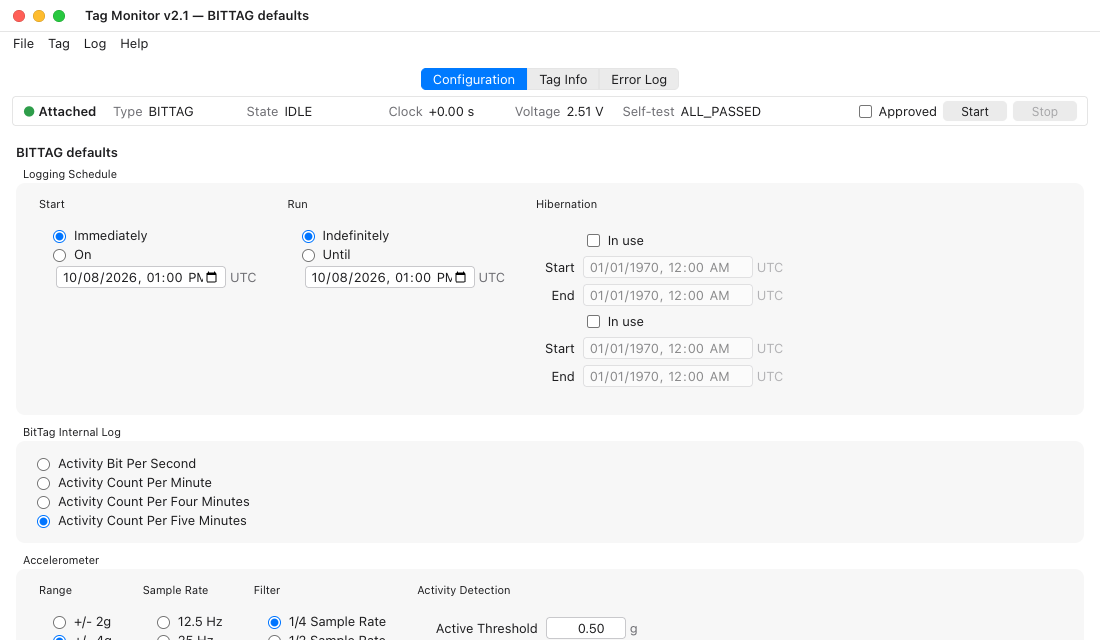
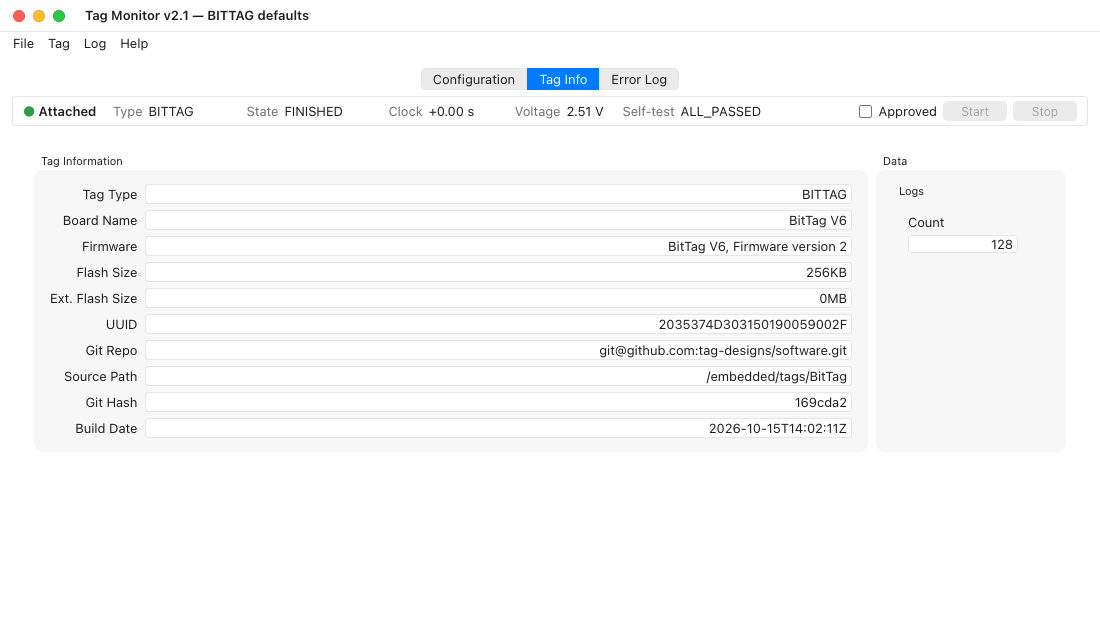
The Configuration tab comes first, and the window opens on it. The status strip under the tabs shows the attached tag's type, state, clock, voltage and self-test result whichever tab is open; the Tag Info tab (called Tag in Tag Monitor) has the rest: board, firmware, UUID and log counts.
-
Choosing a base. With several bases plugged in, the list names each base the way it identifies itself (its board and firmware) with its ST-LINK serial, not only its USB address, so the base with your tag is easy to pick. A base with no tag on it cannot be attached to; the Error Log then asks whether a tag is connected to that base.
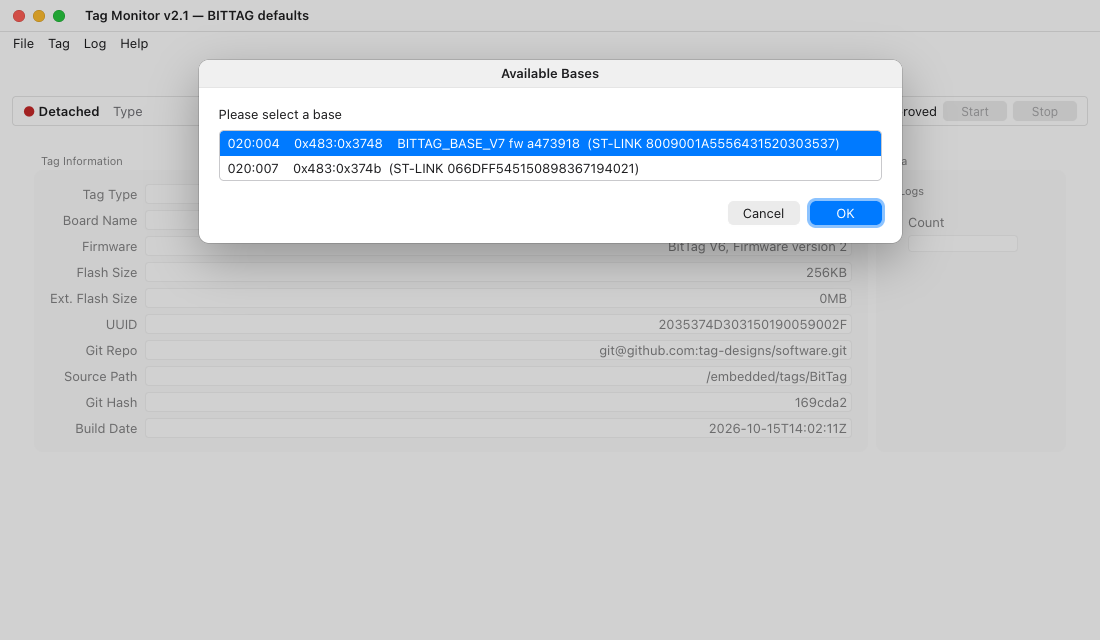
A base with older firmware does not identify itself, so only its USB address and ST-LINK serial are listed.
-
Dates and times on the Configuration tab are shown in your computer's own date format, marked UTC. As in Tag Monitor they are whole hours in UTC; the minutes always read
:00. -
No fake-tag mode. The pictures on this page are of
tagmonitor's own window, drawn against a stand-in for a tag; the other Tag Monitor pages show Tag Monitor's.
Report anything else that behaves differently: the two are meant to agree.